
.svg)


.svg)





Log roadblocks in real time from the field
Outbuild makes it simple for superintendents and crews to capture roadblocks the moment they arise.
No more lost notes or delayed communication; every issue is logged in context and instantly visible to the team. Plus, Procore RFIs are added to the roadblock list automatically.

Stay organized with a shared roadblock log
Every reported issue automatically syncs to a central log that keeps your team aligned. Filter by project, trade, or status to see what’s resolved, what’s pending, and where attention is still needed, all without chasing updates.
Get a personalized demoTurn roadblocks into actionable insights
Outbuild transforms your roadblock history into analytics that reveal patterns and process gaps. Track anticipation time, recurring issue types, and percent of roadblocks removed to continuously improve planning and execution.
Get a personalized demo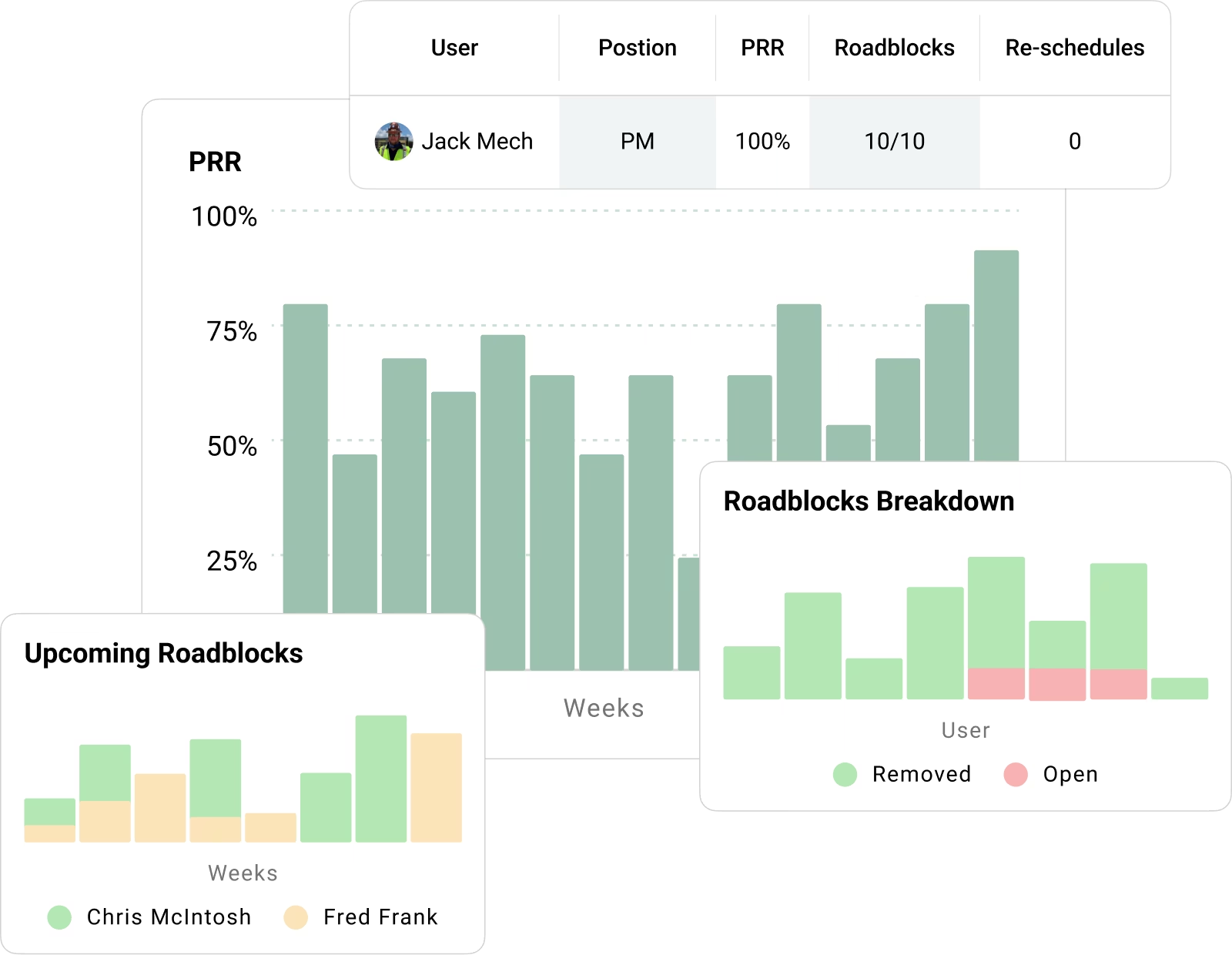
What our customers are saying.
Scheduling directors, superintendents, and operations leaders at large GCs share how Outbuild keeps every project on the same plan.


.webp)
.webp)

Frequently Asked Questions
What are Roadblocks in Outbuild?
Roadblocks flag anything that threatens the plan. They live inside the Lookahead, so the team sees potential delays while planning near-term work, not after crews get stuck.
Where do teams manage Roadblocks?
Teams manage roadblocks in the Lookahead module. The Roadblock Log keeps everything in one place, with status and ownership, so the field and office work from the same list.
How does Procore create Roadblocks in Outbuild?
On a connected project, every RFI created in Procore shows up in Outbuild as a draft roadblock. The team reviews it, decides if it creates schedule risk, then tracks it with the rest of the roadblocks.
How do we link a Roadblock to work in the Lookahead?
Link the roadblock to a Lookahead task. Outbuild then shows the roadblock in the tracking tool and on the Lookahead Gantt, so the team sees what work is at risk and targets follow-up sooner.
How do we jump from a Roadblock to the Procore RFI?
Each Procore RFI roadblock includes a direct link back to Procore. One click takes you to the exact RFI, so the team moves from planning to action fast.
What happens in Outbuild when an RFI closes in Procore?
When the RFI closes in Procore, Outbuild updates the linked roadblock to “removed” status. The log stays current without extra cleanup work.
Why does Outbuild pull every RFI in as a roadblock?
Because roadblocks reinforce the right behavior. When people flag potential delays early, the team can review the issue, discuss the impact, and learn together. That encourages people to speak up instead of staying silent until the job starts slipping.
Does Procore Schedule linking feed back into Outbuild automatically?
No. Items you link to the Procore schedule stay in Procore. Outbuild’s schedule update to Procore is a manual push. Procore schedule links do not sync back into Outbuild today.
Ready to see Outbuild?
Join hundreds of contractors from 10+ countries that are saving money by scheduling better



We’ll be in touch soon!