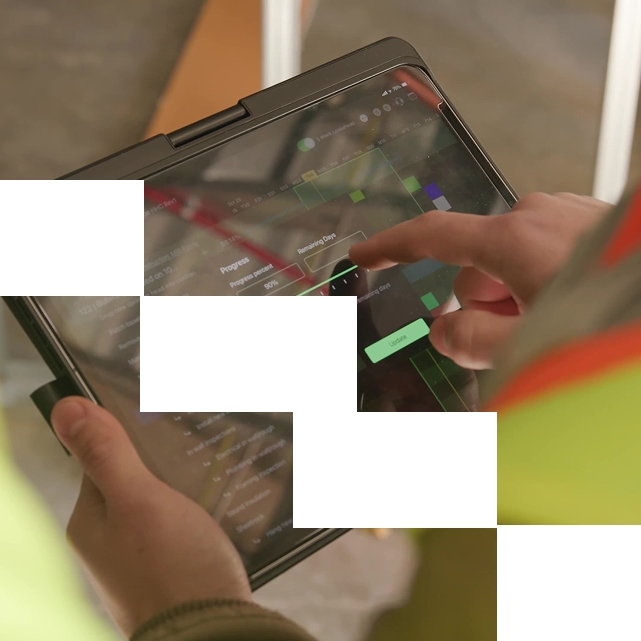
Get a Quick Side-by-Side Comparison
Feature comparison


Separate spreadsheet, complex to connect to schedule
Technically, yes, but limited practicality
As a separate spreadsheet
Not practical
High
Low
Procore, Autodesk
Surface-level visibility
"Outbuild has been one of the best technologies that we have added to our business here in Florida. The cost of the software is reasonable and paid for itself on the first project that we implemented. The team is easily available for training and troubleshooting whenever needed and does a great job explaining their product."


What matters most to you?
We’ve compared Outbuild and Smartsheet in the six areas that have the biggest impact on your schedules, your team, and your bottom line. The results speak for themselves.
Master schedule plus connected lookaheads.
Purpose-built for construction scheduling, Outbuild supports master schedules, field-driven lookaheads, constraint tracking, and real-time schedule updates—without manual workarounds.
Gantt tasks. Lookaheads stay separate.
Offers Gantt charts and task management, but lacks construction-specific scheduling depth. Connecting lookaheads to the master schedule typically requires complex setup and ongoing maintenance.
Built for field adoption from day one.
Designed specifically for construction roles. Superintendents, PMs, and schedulers can adopt Outbuild quickly without needing formulas, complex automations, or technical configuration.
Easy start. Complexity grows with scale.
Familiar spreadsheet-style interface at first—but advanced scheduling workflows often require complex formulas and customization, creating a steeper learning curve over time.
Jobsite updates tied to the schedule.
Field-first by design. Superintendents and trade partners can easily update lookaheads, flag roadblocks, and report progress directly from the jobsite—fully connected to the master schedule.
Mobile tasks. Not field scheduling.
Has mobile apps, but they’re designed for general task updates rather than intuitive, on-site construction lookahead planning tied directly to schedule.
Trade commitments with weekly accountability.
Built for real construction collaboration. Trade partners commit to weekly plans, flag constraints, and collaborate directly on lookahead activities—driving accountability without extra meetings.
Comments work. Accountability stays manual.
Supports comments and update requests, but collaboration is generic. Construction-specific workflows for subcontractor accountability require significant customization.
Live sync with Procore and Autodesk.
Deep, live integrations with Procore and Autodesk. RFIs, submittals, and directory data sync directly to schedule activities—showing real-time impact on the schedule with no manual reconciliation.
Integrations exist. Schedule context stays thin.
Offers broad integrations, including Procore and Autodesk, but integrations tend to be surface-level sharing rather than live, construction-contextual schedule connections.
Construction-led onboarding and support.
Construction-focused onboarding and support. Teams are guided through best-practice scheduling workflows out of the box—no system building or long-term customization required.
Admin-led setup and ongoing maintenance.
Highly flexible, but onboarding often depends on internal admins or consultants to configure and maintain custom workflows as needs evolve.
final verdict
Is Outbuild better than Smartsheet?
If you need construction scheduling where the master schedule stays tied to lookaheads, field updates, and constraints, Outbuild is the better choice. Smartsheet is a flexible work management tool. It can handle tasks and basic Gantt charts, but construction scheduling workflows often split into extra sheets, formulas, and manual upkeep. That creates drift between the plan and the jobsite.
Frequently Asked Questions
What makes Outbuild different from Smartsheet?
Outbuild is built for construction scheduling. It keeps your master schedule, lookaheads, field updates, and constraints connected in one system. Smartsheet is a general work management tool, so scheduling usually becomes a mix of sheets, formulas, and manual upkeep.
Is Outbuild easier to use than Smartsheet for construction scheduling?
Yes. Outbuild is built for PMs, supers, and trade partners. Smartsheet can feel simple at first, but construction scheduling workflows often require custom setup that adds complexity over time.
Can field teams use Outbuild without going back to the trailer?
Yes. Supers and trades can review the plan, update progress, and flag roadblocks from the jobsite. The field does not need to manage spreadsheets or maintain separate files to stay aligned.
Can Smartsheet handle lookahead planning tied to the master schedule?
You can build a lookahead in Smartsheet, but it typically lives as a separate sheet or custom workflow. Keeping it tied to the master schedule takes ongoing maintenance. That is where teams start to see drift between plan and reality.
Can subcontractors collaborate inside Outbuild?
Yes. Trade partners can weigh in on upcoming work, confirm commitments, and flag constraints early. That creates accountability without extra meetings or endless follow-ups.
Does Outbuild integrate with other construction tools?
Yes. Outbuild offers a deep, two-way integration with Procore, connecting RFIs, submittals, and schedule updates in real time. Outbuild also integrates directly with Autodesk Construction Cloud, allowing you to push schedules with one click and keep teams working from the most current plan without manual exports.
What support and onboarding can I expect with Outbuild?
You get construction-focused onboarding built around best-practice scheduling workflows. The goal is adoption across office and field, not just setup. Most teams get productive fast because the workflows match how crews actually plan.
Does Outbuild work on Mac, PC, and iPad?
Yes. Outbuild is cloud-based and works across Mac, PC, and iPad, so office and field teams can stay on the same plan.
What our customers are saying.
From billion-dollar companies to smaller family-owned businesses. They all believe that construction deserves a better scheduling and planning tool.


.webp)
.webp)

Ready to see Outbuild?
Join hundreds of contractors from 10+ countries that are saving money by scheduling better


We’ll be in touch soon!