.svg)


.svg)





best digital pull planning software
Simplify pull planning across field and office
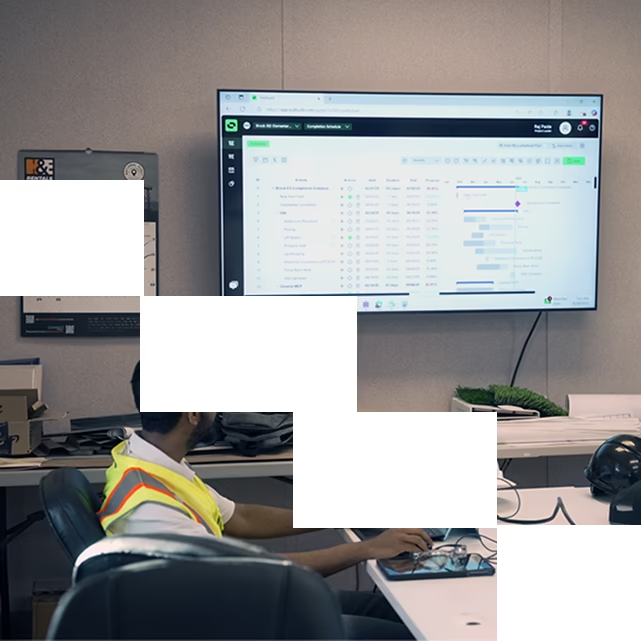
Outbuild makes pull planning easy and frictionless. Unlike outdated sticky notes or disconnected spreadsheets, Outbuild’s digital pull planning features can be accessed from anywhere in the field, and syncs with the office team and master schedule automatically. With an aligned project team, less administrative work, and clear commitments, it’s easier to keep your projects on track.
Real-time planning and adjustments
Update pull plans any time, anywhere without heading back to the trailer for a meeting. Outbuild’s dedicated iPad app enables the field team to always see the current schedule, and dynamically refine their pull plans for better coordination and accountability.
See how iPad app works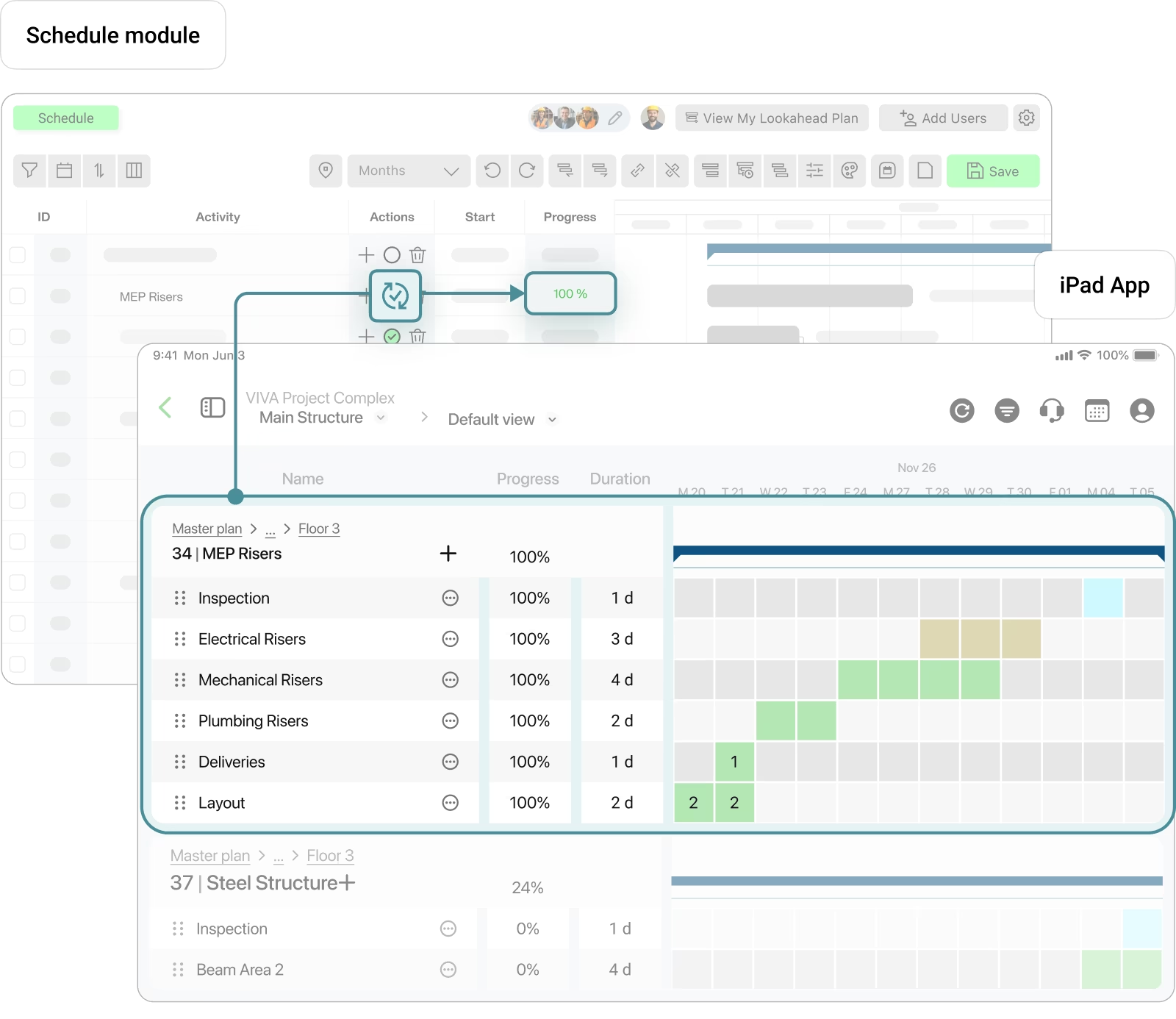
Connected lookaheads and pull plans
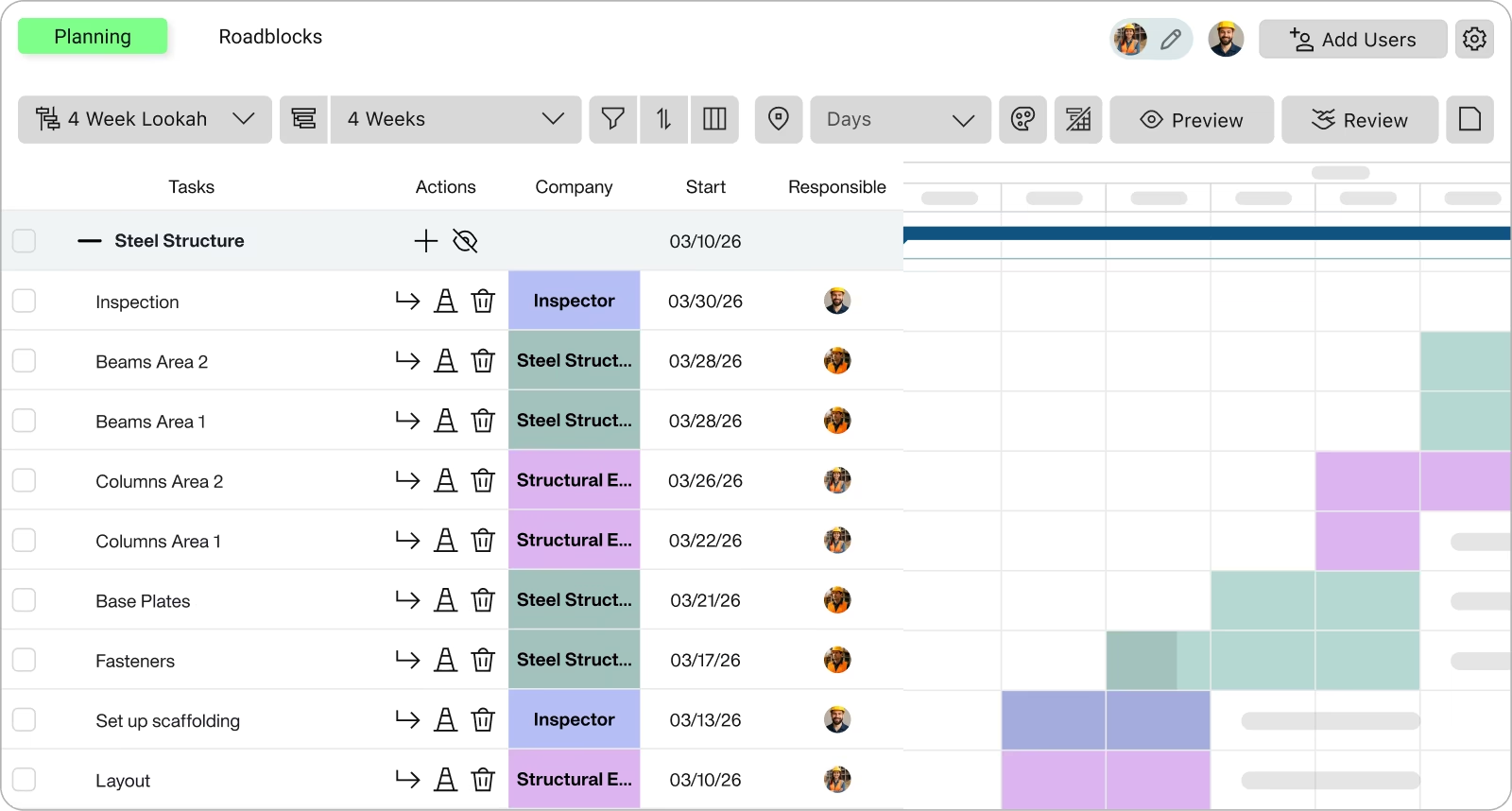
With Outbuild, pull planning and lookahead planning happens in the same place. Starting from your pull plan, it’s easy to adjust the week’s commitments, track and communicate roadblocks, and update progress, eliminating the need for separate meetings and extra communication. Plan, adjust, and commit to tasks, all from the same platform.
See how lookahead module works"We have loved working with Outbuild; it has made the pull planning so much easier. All my guys are becoming more and more comfortable using the platform as well."


"Outbuild has truly transformed the way we manage our construction projects. The software's ease of use and field-focused features allow us to boost productivity and ensure that all trade partners are aligned. I appreciate how it manages tasks efficiently, creating a clear path for success. Real-time updates help keep projects on schedule, enhancing overall project performance and collaboration"

Identify & resolve constraints early
Pinpoint roadblocks before they disrupt the schedule. Outbuild’s iPad app makes it easy for the field team to log and communicate constraints as they arise, so stakeholders can work together to address issues proactively and minimize delays.
Learn more about roadblocks
Built for trade collaboration
Superintendents and trade partners collaboratively add, update, and commit pull plans and lookaheads with a drag-and-drop interface, saving time and eliminating miscommunication.
Get a personalized demoWhat our customers are saying.
From billion-dollar companies to smaller family-owned businesses. They all believe that construction deserves a better scheduling and planning tool.


.webp)
.webp)

Frequently Asked Questions
What is Outbuild pull planning software?
Outbuild gives you a shared pull plan tied to your Lookahead and Master Schedule. Trade partners add their own tasks, then the team sequences the work together on screen. The objective is to create a plan that the field can execute, not a wall covered in sticky notes.
How is digital pull planning different from sticky notes and spreadsheets?
You walk into the session with most of the work already in place. Trade partners preload tasks, durations, and crew assumptions in Outbuild before the meeting. During the meeting, the team focuses on sequencing and handoffs, not rewriting scope on the fly.
How do pull plans connect to the Lookahead in Outbuild?
Pull planning happens inside the Lookahead module. Each Lookahead window pulls from the Master Schedule, then trades break activities into smaller tasks. In the session, you drag and drop tasks to build flow, validate handoffs, then commit the week.
What does the iPad app support on site?
Teams use iPads in the room and in the field to review tasks, adjust sequencing quickly, and track progress without going back to the trailer. iPads also work well as shared devices in the planning room for partners who do not want to plan from a laptop.
How does Outbuild handle constraints and roadblocks during pull planning?
Roadblocks sit inside the Lookahead. Teams should load the plan with roadblocks, not hide them. Each roadblock flags a potential delay, is tied to one or multiple tasks, and keeps ownership visible. The team protects the plan by calling out issues early, then driving removal before crews mobilize.
Who is Outbuild pull planning built for?
Superintendents run the session and remove constraints. Trade partners plan their own work by adding tasks directly in Outbuild, instead of relying on the GC to plan for them. PMs support the process by setting expectations, preparing the room, and keeping the team focused on the plan and the roadblocks.
Ready to see Outbuild?
Join hundreds of contractors from 10+ countries that are saving money by scheduling better


We’ll be in touch soon!