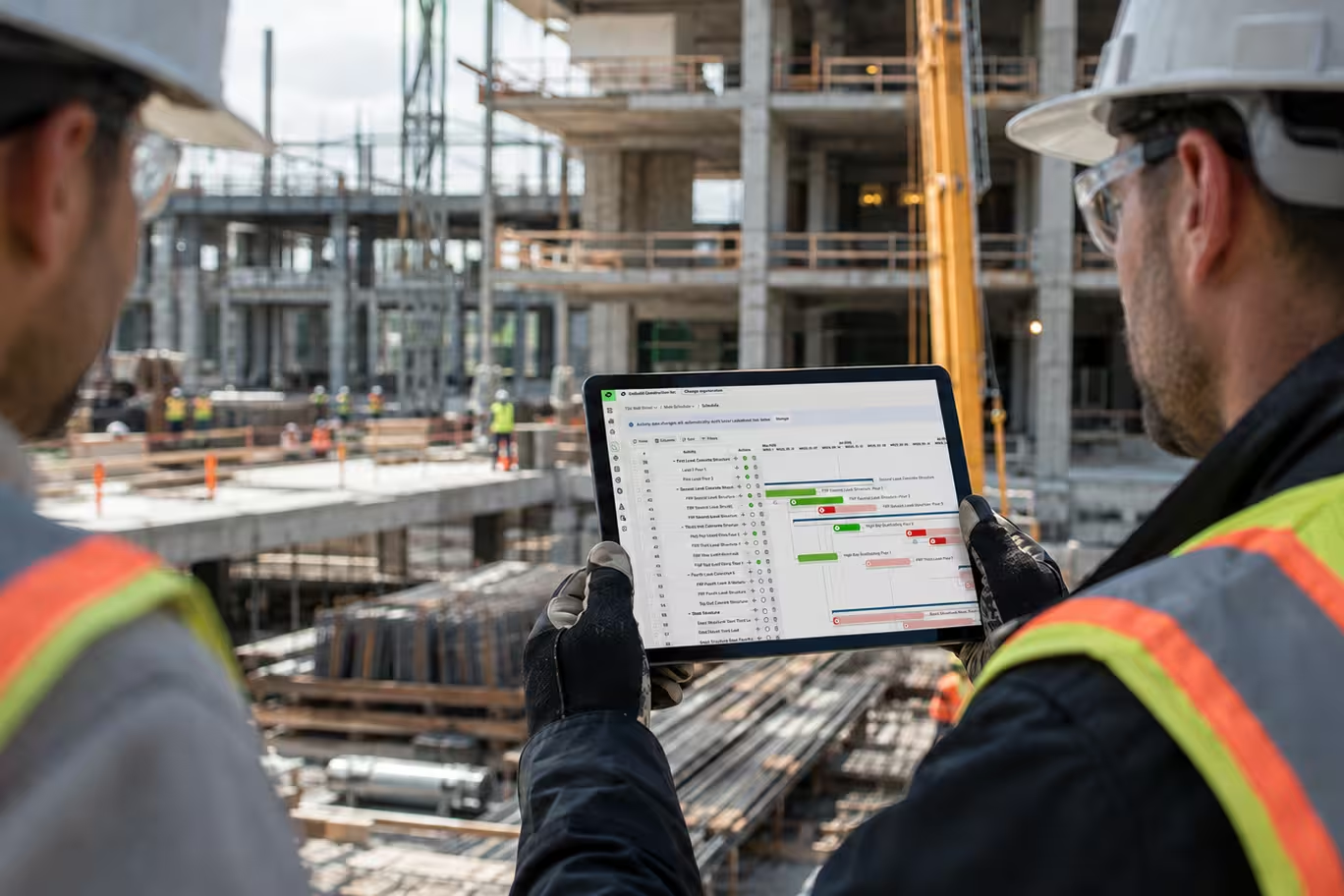


Outbuild is online scheduling software to work together on connected project schedules and look-aheads, enabling everyone to move faster.
Key Takeaways

- Schedules, Lookaheads, and Weekly Work Plans within one integrated platform.
- Real-time insights and project analytics through automated dashboards.
- Easier, streamlined plan management through a user-friendly interface.
Table of contents
- The table stakes in CPM software features
- The CPM scheduling software capabilities that matter most
- Built around the field, not the office: how Outbuild is changing construction scheduling
- Why most project schedules slip
According to Bent Flyvbejerg in the book How Big Things Get Done, only 8.5% of construction projects finish on time and on budget. The truth is, a scheduling tool alone isn’t going to shift that stat much, but the right tool that enables the process that works for your company will.
Before you compare long feature lists, let’s dig into what types of things set CPM scheduling tools apart from one another. We’ll walk through what to look for, including how to think about the newer capabilities that technology and AI are bringing to the table.
Any construction CPM scheduling software worth considering should include the fundamentals: baseline management for version history and schedule comparisons, a clean Gantt chart, critical path calculation, and dependency logic. If a tool is missing these core CPM software features, it isn't really CPM software.
That said, moving to new scheduling software is about improving your scheduling process, making it more efficient and better at protecting your projects against delays. For the rest of this guide, we’ll focus on the key areas scheduling fails, and the features that can help you improve.
Once the fundamentals are covered, the tools start to diverge. You can read through a whole list of construction scheduling software features, but below are the areas we see complex projects break down most often. For each one, we'll lay out what good looks like, and the questions to ask so you can get a good idea of a platform’s real capability.
The connection between your lookahead and the schedule
The single most common failure in construction scheduling is when the field drifts out of sync with the master schedule. The office plans in one place, the field plans somewhere else, and the two only meet when someone manually stitches them back together. Every hour spent reconciling is an hour the schedule is out of date, and every gap is a place a delay can hide.
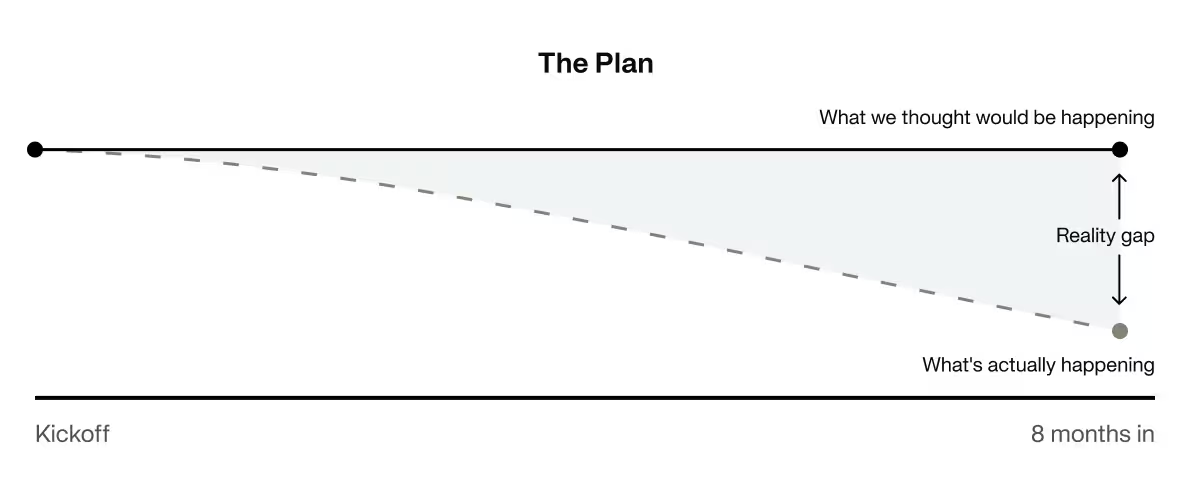
What good looks like: In an ideal setup, the lookahead is connected to the master schedule. So, it’s pulling activities from the master while the master stays informed by what is actually happening in the field. The two remain distinct, because different teams need different levels of detail, but they read from and write back to the same source. Field progress updates the plan automatically, and downstream sequencing shifts to match.
How to evaluate it: Ask how the field stays in sync today, and how it would with the tool in front of you. Are you building lookaheads in Excel? On a whiteboard? Is someone re-keying sticky notes into the scheduler every morning? Then ask the vendor to show the field-to-office update loop live, not on a slide. Watch a field update flow into the schedule and move what depends on it.
Ability to access from the field
If updates have to travel back to a desk or through a text message, they are more likely to get lost or come through too late for anything to be done about it. Mobile construction scheduling software gives jobsite teams direct access to the plan, making the schedule more accurate and current.
What good looks like: The people doing the work can see and update the plan from where the work happens, on a phone or tablet. Consider what would improve in your process if the field team could log progress or flag an issue as they’re walking a job site. How many delays could be avoided if PMs had input from the field instantly instead of waiting for the Monday morning meeting?
How to evaluate it: Can a superintendent record progress or a delay from the field in under a minute?
Risk management
Margins are thin in construction, and they get thinner every time a job is delayed. General conditions, liquidated damages, and rework all start to add up and ultimately, these can cost you large chunks of profit across your jobs. The schedule is one of your only defenses, but only if it can actually show where the job is getting off track while there is still time to correct it.
What good looks like: There are two sides to risk management. First, gaining the ability to proactively manage issues before they become delays and second, documenting delays in case you need to defend the schedule later.
How to evaluate it: Ask how the tool tracks constraints and delay risk, whether it keeps a time-stamped record you can use in a dispute, and whether you can preview a schedule change's impact before approving it. Most teams assume their schedule protects them in a claim, press on whether it actually can.
Reporting
Cloud-based CPM scheduling software can make reporting more accessible, but platforms handle reporting differently. Some have it integrated and some rely on tools like Power BI to translate the data.
What good looks like. Good reporting, however it is achieved, should provide leadership with a birds eye view of the health of their schedules and uncover where they are exposed to risk. You should also consider what additional resources you will need to achieve this level of reporting (third-party tools, consultants, etc.)
How to evaluate it. Ask whether leadership can self-serve status across jobs without a scheduler assembling it, and whether the numbers update as the schedule does. Reporting capability varies widely between platforms, and it is easy to undervalue.
Integrations
Integrations matter when evaluating CPM scheduling software for construction because your schedule should work in conjunction with the other tools that run the project. RFIs, submittals, and your project directory live in platforms your team already uses, and the more closely these platforms can run with your scheduling, the more aligned your teams will stay.
What good looks like. The scheduling tool fits into the stack you already have.The data that affects your schedule (RFIs, submittals, etc.) flow in automatically, so a question raised in the field shows up against the activity it threatens without double-entry.
How to evaluate it. Ask where an integration would actually save you time, then ask the vendor what is native today versus on the roadmap. Would feeding RFIs and submittals into your scheduling tool help your teams catch a delay earlier? If so, confirm that connection is real and automatic, not a manual export dressed up as an integration.
AI capabilities
AI construction scheduling software is still new, and vendors are still figuring out how to make it useful. Used well, it takes the repetitive, teachable work off your team's plate.
What good looks like. Especially in construction, AI should be a very capable assistant, not an autopilot. AI should speed up the tedious tasks while your team keeps the work that depends on experience and judgment. It should also catch what a person can miss at scale, like a broken logic tie or a risk buried in a 2000-line schedule.
How to evaluate it. Ask what the AI actually does, and make the vendor show a real example. Does it surface something useful about your schedule? Be skeptical of anything positioned as removing the scheduler from the equation. The goal is to amplify the people who know the work, not replace them.
Onboarding and implementation
The best tool still fails if your team never gets comfortable with it. How easy a tool is to learn and adopt across your company is a huge factor in the ROI you realize from the platform.
What good looks like. Your team can learn the tool quickly, in their own role. There is a clear training path, and when a question comes up mid-project, someone is there to answer it, whether that support is in-house or from a software partner.
How to evaluate it. To understand how to evaluate CPM scheduling software, ask how long it takes a new PM or superintendent to get productive, what training looks like, and who on your team will have access to support when issues come up. Construction moves too fast for a tool that takes months to stick.
Pricing model
Finally, the pricing model. How a tool is priced determines how many people can use it. If every seat costs more, you ration access, and that can reduce the impact the tool can have overall. Additionally, consider the cost of add-ons and tokens/credits if applicable.
What good looks like. The pricing model supports getting your whole team on the schedule rather than working against it. Most software is priced per seat, though some offer unlimited users. The right question is not just the sticker price but the total cost of getting value: implementation, training, support, and the specialist time or extra tools you would otherwise need.
How to evaluate it. Think through how you would benefit from involving more of your team in the scheduling process, and how many seats that would take under each model. Then weigh the full cost of ownership, not just the license. The cheapest license can be the most expensive tool if only one person can use it.
👉 Check out our full guide to the best construction scheduling software.
How to Fix the Disconnect Between the Office and Field.
Download the report to learn more:
- Learn about the why scheduling and planning fail the field
- Understand the pain points, inefficiencies, and evolving practices shaping scheduling today
- Find out how to bridge critical disconnects happening in construction
Everything mentioned above comes back to one idea: a CPM schedule is only worth as much as the work it actually drives. That's the problem Outbuild was built to solve. Most tools treat scheduling as an office job, but we built our tool around the connection between the plan and the field. Here's how that plays out across every capability above.
The field-to-schedule connection. This is the center of what Outbuild does. The master schedule and the field Lookahead are one connected system. The Lookahead pulls from the master, and field progress writes back to it, so the plan and the reality on the ground stay aligned without anyone manually reentering the data. The two views stay distinct, because the field team and a scheduler need different levels of detail, but they read from the same source.
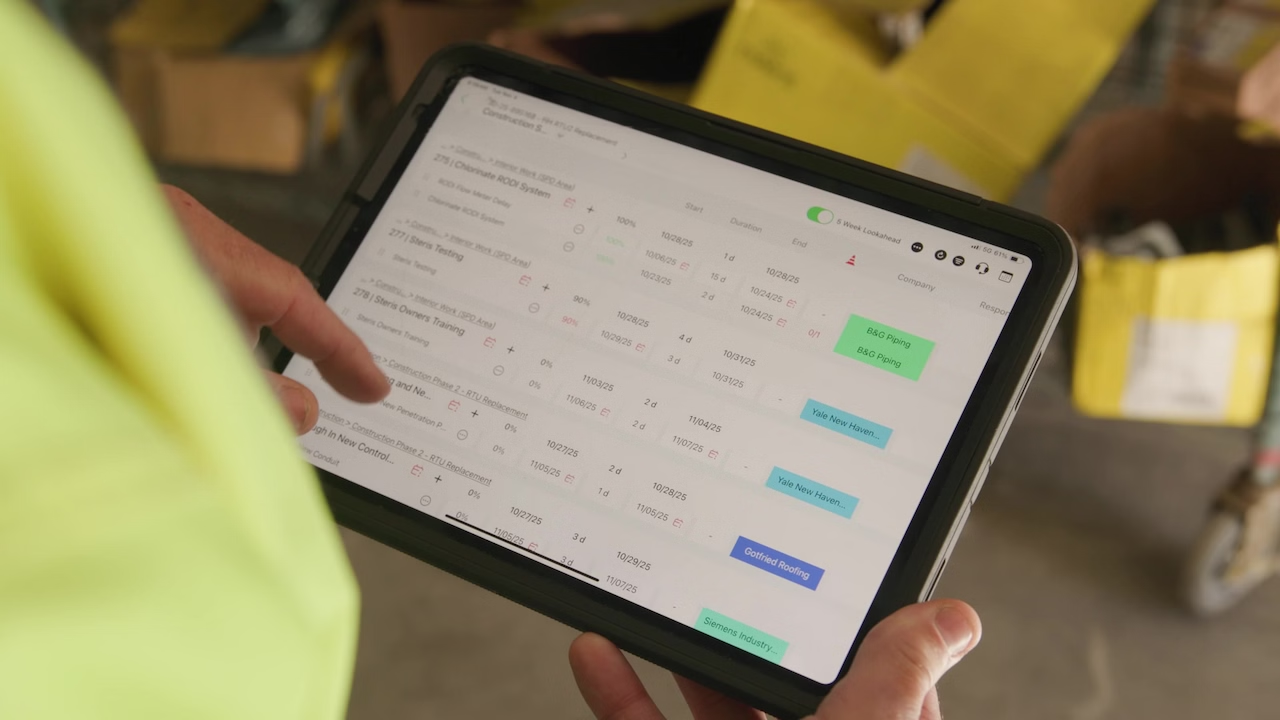
Access from the field. Outbuild is web-based and has dedicated iPad and mobile apps, so the schedule lives where the work happens instead of on one scheduler's desktop. A super can log progress or flag an issue while walking the site, instead of it getting lost in a pile of texts or waiting until the Monday morning meeting.
Risk management. The Roadblocks feature lets teams capture issues as they happen, with the cause, the impact, and a timestamp, so you can act on a slip while there's still time to correct it. Then, all the critical information is logged so you have a documented, defensible record if a delay ever turns into a claim.
Reporting. Leadership gets real-time dashboards across every project, so they can gauge schedule health and risk exposure without a scheduler assembling a report by hand. And, because the field feeds the plan directly, the numbers reflect the work as of today, not last month.
AI. Outbuild's AI is built to be a capable assistant, not an autopilot. It speeds up the tedious work and catches what's easy to miss at scale — a broken logic tie, a risk buried deep in a large schedule — while your team use their experience to make the final calls.
Onboarding and pricing. Outbuild is designed to be learned quickly, role by role, with a very supportive onboarding and training process behind it. Plus, every plan includes unlimited users, so getting the PM, the super, and the trades on the same schedule is completely realistic.
Most projects don't slip because someone built a bad plan, they slip in the space between the plan and the field, where the schedule and the real work drift apart. The right tool is the one your team will actually use, that keeps the field and the office reading from the same plan, and removes the friction that lets small slips grow.
That’s how you should evaluate every construction CPM scheduling software. Not which tool has the longest feature list, but which one your superintendents will open on a Tuesday, which one turns a flag from the field into a decision before it costs you, and which one still reflects reality 8 months from now.
Get those right and the right CPM scheduling software turns the schedule from a document you maintain into the tool that runs the job.
Want to see how Outbuild can help keep more schedules on time? Get a demo.
How to Fix the Disconnect Between the Office and Field.
Everything mentioned above comes back to one idea: a CPM schedule is only worth as much as the work it actually drives. That's the problem Outbuild was built to solve. Most tools treat scheduling as an office job, but we built our tool around the connection between the plan and the field. Here's how that plays out across every capability above.
The field-to-schedule connection. This is the center of what Outbuild does. The master schedule and the field Lookahead are one connected system. The Lookahead pulls from the master, and field progress writes back to it, so the plan and the reality on the ground stay aligned without anyone manually reentering the data. The two views stay distinct, because the field team and a scheduler need different levels of detail, but they read from the same source.
Access from the field. Outbuild is web-based and has dedicated iPad and mobile apps, so the schedule lives where the work happens instead of on one scheduler's desktop. A super can log progress or flag an issue while walking the site, instead of it getting lost in a pile of texts or waiting until the Monday morning meeting.
Risk management. The Roadblocks feature lets teams capture issues as they happen, with the cause, the impact, and a timestamp, so you can act on a slip while there's still time to correct it. Then, all the critical information is logged so you have a documented, defensible record if a delay ever turns into a claim.
Reporting. Leadership gets real-time dashboards across every project, so they can gauge schedule health and risk exposure without a scheduler assembling a report by hand. And, because the field feeds the plan directly, the numbers reflect the work as of today, not last month.
AI. Outbuild's AI is built to be a capable assistant, not an autopilot. It speeds up the tedious work and catches what's easy to miss at scale — a broken logic tie, a risk buried deep in a large schedule — while your team use their experience to make the final calls.
Onboarding and pricing. Outbuild is designed to be learned quickly, role by role, with a very supportive onboarding and training process behind it. Plus, every plan includes unlimited users, so getting the PM, the super, and the trades on the same schedule is completely realistic.
Most projects don't slip because someone built a bad plan, they slip in the space between the plan and the field, where the schedule and the real work drift apart. The right tool is the one your team will actually use, that keeps the field and the office reading from the same plan, and removes the friction that lets small slips grow.
That’s how you should evaluate every construction CPM scheduling software. Not which tool has the longest feature list, but which one your superintendents will open on a Tuesday, which one turns a flag from the field into a decision before it costs you, and which one still reflects reality 8 months from now.
Get those right and the right CPM scheduling software turns the schedule from a document you maintain into the tool that runs the job.
Want to see how Outbuild can help keep more schedules on time? Get a demo.
Frequently Asked Questions
CPM scheduling software is a tool that builds a construction schedule using the Critical Path Method. Sequencing activities, mapping dependencies, and calculating which chain of work determines the project's finish date. At minimum it should offer baseline management, a Gantt chart view, critical path calculation, and dependency logic. Without those four, it isn't CPM software, whatever the marketing says.
Beyond the CPM fundamentals, look at six areas where complex projects actually break down: whether the lookahead is genuinely connected to the master schedule, whether the field can update the plan from a phone or tablet, how the tool tracks constraints and documents delays, whether leadership can self-serve reporting, which integrations (RFIs, submittals, your project directory) are native today, and what the AI actually does. Ask for a live demo of each — not a slide.
The best ones work in both places, and that's the single biggest differentiator on the market. Traditional CPM tools were built for a scheduler's desktop, which is why the field ends up planning in Excel or on a whiteboard while the master schedule goes stale. Modern cloud-based CPM scheduling software gives superintendents and trade partners mobile access to the same plan, so field progress writes back to the master schedule instead of waiting for a Monday morning meeting. Outbuild is web-based with dedicated iPad and mobile apps for exactly this reason.
Test the software using a real construction workflow. Ask the vendor to show how a field update reaches the master schedule, how the platform documents delays, how reporting updates, and which integrations work natively today.
Pricing depends on the platform, number of users, implementation, training, support, and required add-ons. Compare the total cost of ownership and determine whether per-user pricing could limit participation across your project teams.


Ready to see Outbuild?
Join hundreds of contractors from 10+ countries that are saving money by scheduling better


We’ll be in touch soon!