

Outbuild is online scheduling software to work together on connected project schedules and look-aheads, enabling everyone to move faster.
Key Takeaways

- Schedules, Lookaheads, and Weekly Work Plans within one integrated platform.
- Real-time insights and project analytics through automated dashboards.
- Easier, streamlined plan management through a user-friendly interface.
Table of contents
- Construction project visibility software at a glance
- How project visibility has worked in construction
- What's changed
- What modern construction project visibility looks like
- How we evaluated construction project visibility software
- The best construction project visibility software
- Choosing construction project visibility software
Every day on construction projects, decisions worth thousands of dollars get made on gut feel.
That’s because, as an industry, we haven’t really solved for consistent project visibility. Most reports that leadership sees lag behind the actual project. And because of that lag, construction professionals rely on their experience and their gut to inform decisions.
That’s not to say that experience isn’t invaluable, because it is. But experience doesn’t solve the problem of making decisions based on what was happening on site two weeks ago, instead of what happened today.
This guide covers how the progress we’ve made in technology is solving that problem, what to look for now, and how six of the main project visibility tools compare.
In the past, experience was the most reliable factor in decision making in project management. The problem is, experience doesn't always take current data into account, and it isn't replicable across other people.
So the industry introduced a discipline called "project controls," designed to bring structure to decisions that were otherwise made on gut feel. But even a strong controls team doesn't solve the core issue: the data it works from is often outdated or incomplete.
For an industry as complex and critical as construction, it's surprising how long we've accepted that. Mike Wong, Head of Customer Success at Outbuild, remembers how little there was to go on: "When I started in the industry, there weren't any agreed upon metrics on my projects other than projected end date, which is like trying to guess how much money will be in your bank account to the cent when the iPhone 35 comes out."
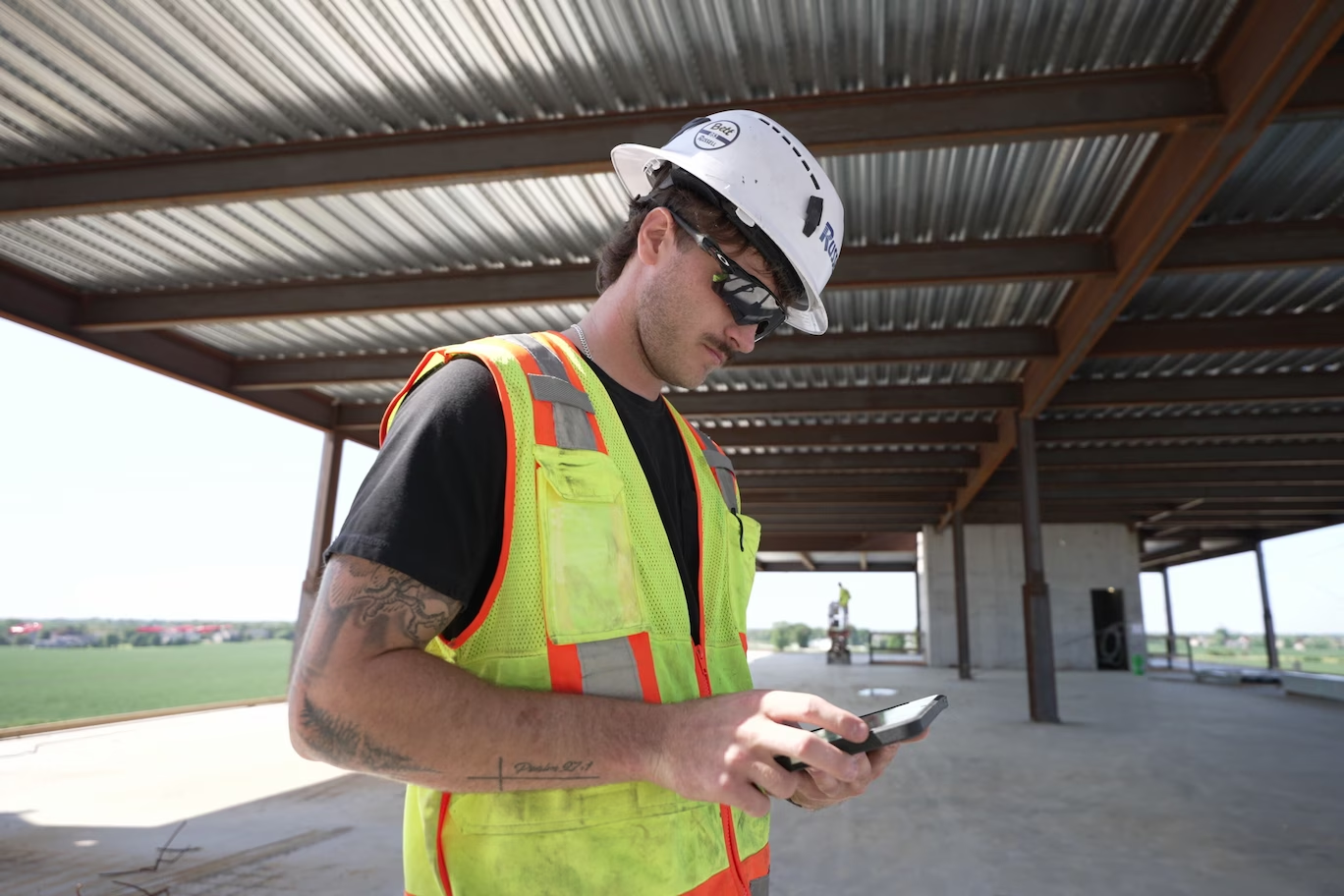
The disconnect between the field and the office used to be an accepted part of construction, but it isn't anymore. Companies are moving to cloud-based systems that tie the field and office together, and iPads and phones are now common equipment on jobsites. A superintendent can update progress from the site, and the change shows up in the same schedule the office is looking at.
Together, these changes let the people doing the work keep the plan current as it happens instead of constantly lagging behind.
On top of that is the newest piece: AI. It can surface patterns across a portfolio in seconds, like which jobs are drifting or where the same kind of delay keeps showing up. But it can only work with the data it's given and that’s why the tools we use to gather data from the jobsite and where we house it are so important.
So what can teams expect from project visibility software with today’s technology?
Actionable visibility into construction projects starts with how the data gets into the system. When the superintendent updates progress from the site and trade partners commit to the week's work in the same platform, the schedule stays current without anyone assembling a report. Leadership can see what's happening today and what's planned for the next three weeks, alongside the master schedule.
Once we have the right data coming into the same place in real time, we just have to agree on what to measure. The projected end date will always matter, but it's an estimated outcome. It has to be taken with a grain of salt.
Two numbers tell you much earlier whether a job is on track:
- PPC (Percent Plan Complete): the share of weekly commitments the team actually delivered. When PPC drops for a few weeks in a row, the schedule is going to feel it, even if the end date hasn't moved yet.
- Open constraints: the issues holding work up right now, like a late submittal, a crew that didn't show, or an RFI waiting on an answer, and how long each one has been open. The longer one stays open, the more likely it turns into a delay.
(For the full set of metrics behind this, see how modern companies can improve construction predictability.)
Those numbers do the most good when everyone sees them. Wong's view is that the goal is "a real clear set of numbers to change behavior, motivate teams, and change outcomes," and that only works if the super, the PM, the trade partners and leadership are all looking at the same data. As he puts it, "One place for all your data that can be accessed by the guy that sweeps the floor to the guy that cuts the ribbon is an incredibly powerful tool."
When you get the data into the system faster, you have the ability to track meaningful metrics. When you’re tracking the right things as they happen, you can start absorbing more delays and avoiding others. Leadership doesn't have to wait on the monthly report. They can see a slip forming while there's still time to move people, resequence work, or clear what's in the way.
We graded each construction project visibility tool on the factors that influence how actionable the insights are for construction teams.
- How current the data is. Does the field update it as work happens, or does it depend on a periodic schedule update or data export?
- Schedule-to-field connection. Is the lookahead connected to the master schedule, so progress in the field moves the plan?
- Leading and lagging metrics. Does it track commitments and constraints, or mainly outcomes like end date, cost and percent complete?
- Who can see it? Can the super, PM, trade partners and leadership all get in, or does pricing limit access to a few seats?
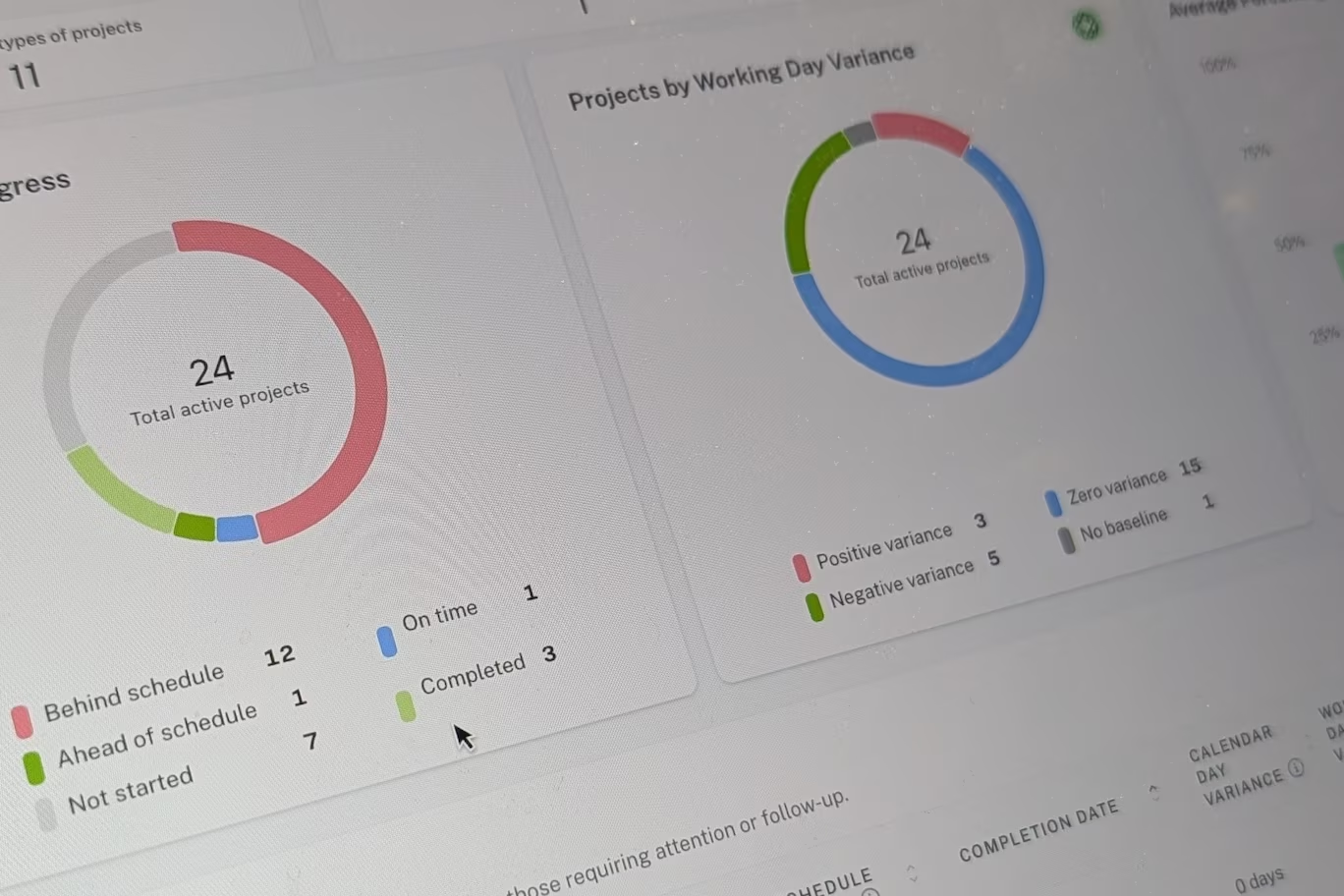
- Reporting and portfolio visibility. Do dashboards update automatically, or does someone have to build and maintain them? For construction portfolio visibility, can leadership compare consistent metrics across jobs and investigate the activities or constraints behind each result?
- Integrations. Does it connect to the tools your team already uses, and how deep does the sync go?
The tools fall into three groups:
- Reporting and analytics layers (Power BI, SmartPM, Nodes & Links) sit on top of your scheduling tool and turn each schedule update into dashboards and analysis.
- All-in-one project management platforms (Procore, Autodesk Construction Cloud) hold documents, field records and cost, and they include scheduling and planning tools too. Because they're built to do a bit of everything, scheduling isn't as built out as it is on a platform dedicated to it.
- Connected scheduling platforms (Outbuild) keep the master schedule, the lookahead and the field in one system, with reporting built on top.
Standalone scheduling tools like P6 and Microsoft Project show up in almost every stack, because that's where most master schedules live. On their own, they're built to plan the work, so most teams add one of the tools below to report on it.
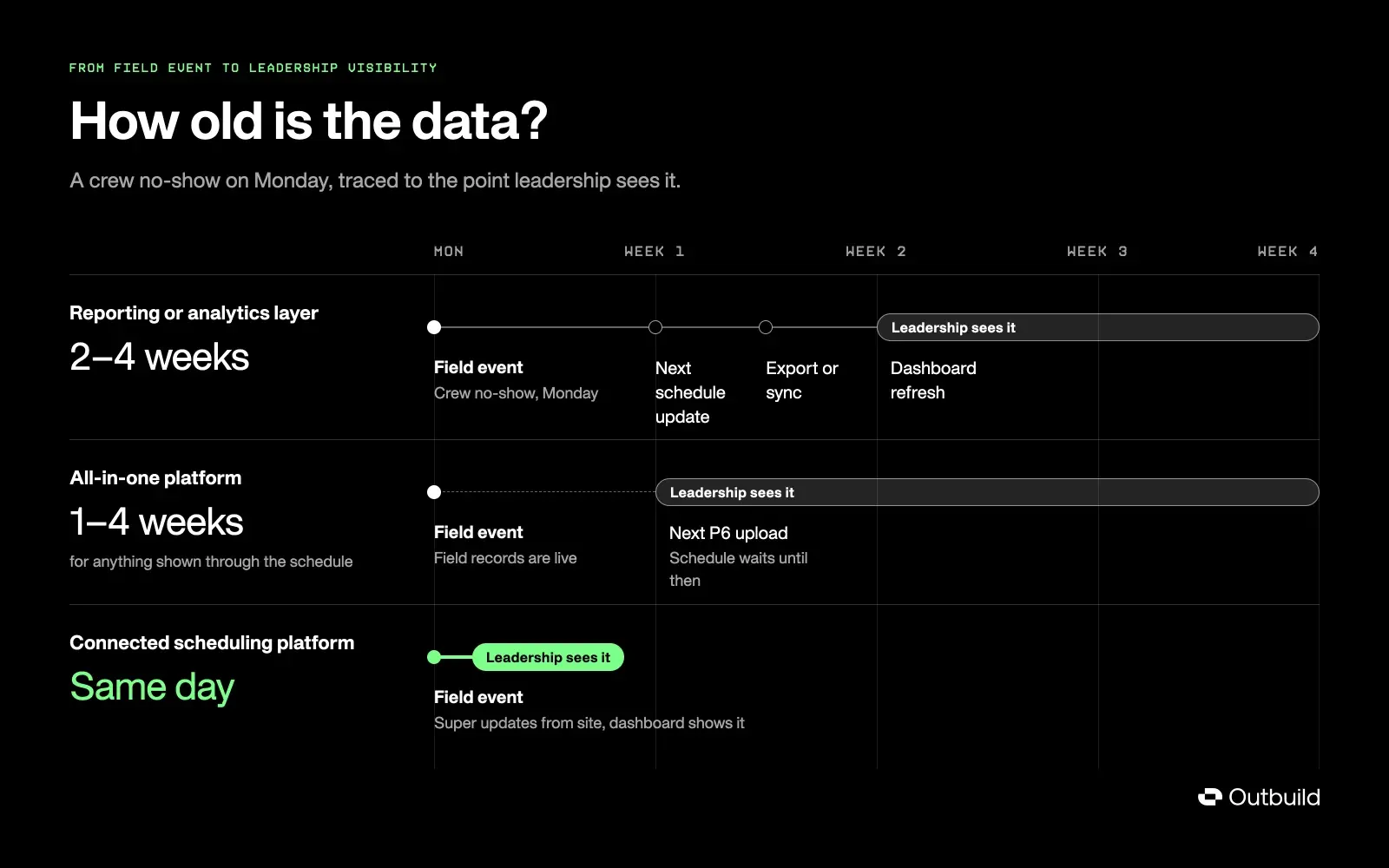
Construction project tracking software can help teams monitor progress, but each tool provides a different view. The six options below range from connected scheduling platforms to construction schedule analytics tools and custom reporting systems.
Outbuild: best for schedule-driven visibility
Where it's strongest: Visibility that comes straight from the schedule and the field, because the master schedule, the Lookahead and the Weekly Work Plan live in one system and are easily accessible from the job site.
Outbuild is a construction scheduling platform built on the Last Planner System®. Superintendents update progress from the site on an iPad or phone, trade partners commit to the Weekly Work Plan, and Roadblocks (Outbuild's constraint tracking) get logged against the activities they threaten. Because all of that happens in the same system as the master schedule, the Executive Dashboard can show each job as of today: schedule health, PPC, open Roadblocks and variance across every project, without anyone building a report. Every plan includes unlimited users, and it integrates with Procore, Trimble, and Autodesk.
- Where its data comes from: the field and the schedule, updated as work happens
- Watch-out: built for GCs and self-perform contractors, commercial and heavy civil, rather than standalone subcontractors
- Pricing: from $999/month billed annually, priced by construction volume rather than per seat
Integrating Outbuild into our construction projects has been a tremendous efficiency booster! By centralizing all project schedules onto a single dashboard, we've cut review time by a whopping 75%. It's easy to navigate, and the transparency it provides ensures our team stays on the same page. The implementation was smooth, and customer support has been stellar. Such a solid investment!
Ray Miller | Director, Duffey Southeast Construction, Inc.
Procore: best all-in-one project management
Where it's strongest: One platform for documents, RFIs, submittals, daily logs and financials, with field teams already working in it.
Procore is one of the most widely used construction management platforms, and its field tools include daily logs, RFIs, and submittals. It includes a schedule tool that imports P6 and Microsoft Project files, a lookahead feature, and a native scheduling tool in beta. Its dashboards and deeper reporting run through Procore Analytics, which is built on Power BI.
Procore is built to do a bit of everything, so scheduling isn't as built out as it is on a dedicated platform. Most teams still build and update the master schedule in P6 or Microsoft Project and upload it again after each update, so schedule-based visibility is only as current as the last upload.
- Where its data comes from: field records live; schedule data from imported updates
- Watch-out: scheduling is lighter than on a dedicated platform; advanced analytics run through Power BI
- Pricing: quote-based
Autodesk Construction Cloud: best for design and build data
Where it's strongest: Keeping design and construction data together, from models and drawings to field issues and RFIs.
Autodesk Construction Cloud (now part of Autodesk Forma) connects the design side of a project to the build side, which makes it strong on model-heavy work. Its schedule tool imports P6, Microsoft Project and Asta files, and Workplan adds field-level planning. Dashboards come through its Insight tools, and teams that want more push data to Power BI through the Data Connector.
Like Procore, it's built to cover the whole project lifecycle, so scheduling is one tool among many. The master schedule still usually lives in a separate CPM tool and gets imported, so schedule visibility depends on how often that import happens.
- Where its data comes from: field and design records live; schedule data mostly imported
- Watch-out: scheduling is lighter than on a dedicated platform; deeper reporting often runs through Power BI
- Pricing: quote-based
Power BI: best for custom dashboards
Many GCs build their own schedule and cost dashboards in Power BI, pulling from P6 exports, Procore, ERP data and spreadsheets. It's flexible and familiar, and it can show almost anything you can connect to it.
The trade-off is upkeep. Someone has to build the reports and keep them running, and each dashboard is only as current as its last data refresh, and only as current as the schedule update underneath it.
- Pricing: $14/user/month (Pro) or $24/user/month (Premium Per User), billed yearly
SmartPM: best for automated schedule analytics
SmartPM reads each schedule update from P6, Microsoft Project, Asta or Phoenix and turns it into trends, critical path delay, compression and schedule quality grades, with executive and company dashboards on top. For pure schedule analysis, it goes deeper than most platforms, including ours.
Because it analyzes the schedule update, it gives a clear read on what changed since the last one. What it can't show is what the field is doing this week, between updates.
- Pricing: quote-based
Nodes & Links: best for AI schedule analysis
Nodes & Links applies AI to complex schedules. Teams can ask plain-language questions about what changed and why, run automated quality scans, and do delay and risk analysis. It pulls schedule data in through APIs, which cuts down on manual uploads.
Its answers are only as current as the schedule underneath them, so how much it helps depends on how often the schedule gets updated.
- Pricing: quote-based, with a free trial
The tool you choose shapes what your leadership team sees, and when. A reporting layer can make last month's update easier to read. An all-in-one platform can put every document in one place. Both have a place in the stack. But if the goal is to see a slip while there's still time to do something about it, the data has to come from the field, as the work happens, in a system everyone uses.
So whichever tool you're considering, consider where its numbers come from and how old they are by the time leadership sees them.
That's what we built Outbuild to do: the master schedule, the Lookahead and the Weekly Work Plan in one system, so the people doing the work keep the plan current and everyone from the site to the executive team sees the same numbers.
Start your free trial now, or get a personalized demo.
Frequently Asked Questions
For visibility driven by the schedule and the field, a connected scheduling platform like Outbuild keeps the master schedule, lookahead and field updates in one system. The best visibility comes from current and accurate data, and that isn’t something that is delivered by platforms that silo the scheduling and planning functions from one another.
Real-time visibility depends on how the data comes into the system. For it to be real-time, the data has to come from the people doing the work as the work happens, in the same system as the schedule. Tools that report on periodic schedule updates or exports are only as current as the last update.
Most contractors use a combination: a scheduling tool like P6 or Microsoft Project, a project management platform like Procore or Autodesk Construction Cloud, and a reporting layer like Power BI or SmartPM. Connected scheduling platforms like Outbuild combine the schedule, field planning and reporting in one system, giving you the most current and actionable data available.
Ask each vendor to demonstrate how a field update reaches the schedule and executive dashboard. Check whether lookaheads connect to the master schedule, whether teams can track commitments and constraints, and who can access the platform. Also assess integration depth and how much manual work reporting requires. Test these workflows using one of your own projects.
Construction reporting software turns project data into dashboards, reports, and performance insights. Scheduling software helps teams plan activities, manage dependencies, and update progress. Some platforms combine both. When comparing tools, check whether reporting reflects field updates directly or depends on someone uploading a revised schedule.
Related Articles


Ready to see Outbuild?
Join hundreds of contractors from 10+ countries that are saving money by scheduling better

We’ll be in touch soon!